Notifications
Clear all

Topic starter
15/07/2026 9:45 am
Making a Payment with or without a PayPal Account
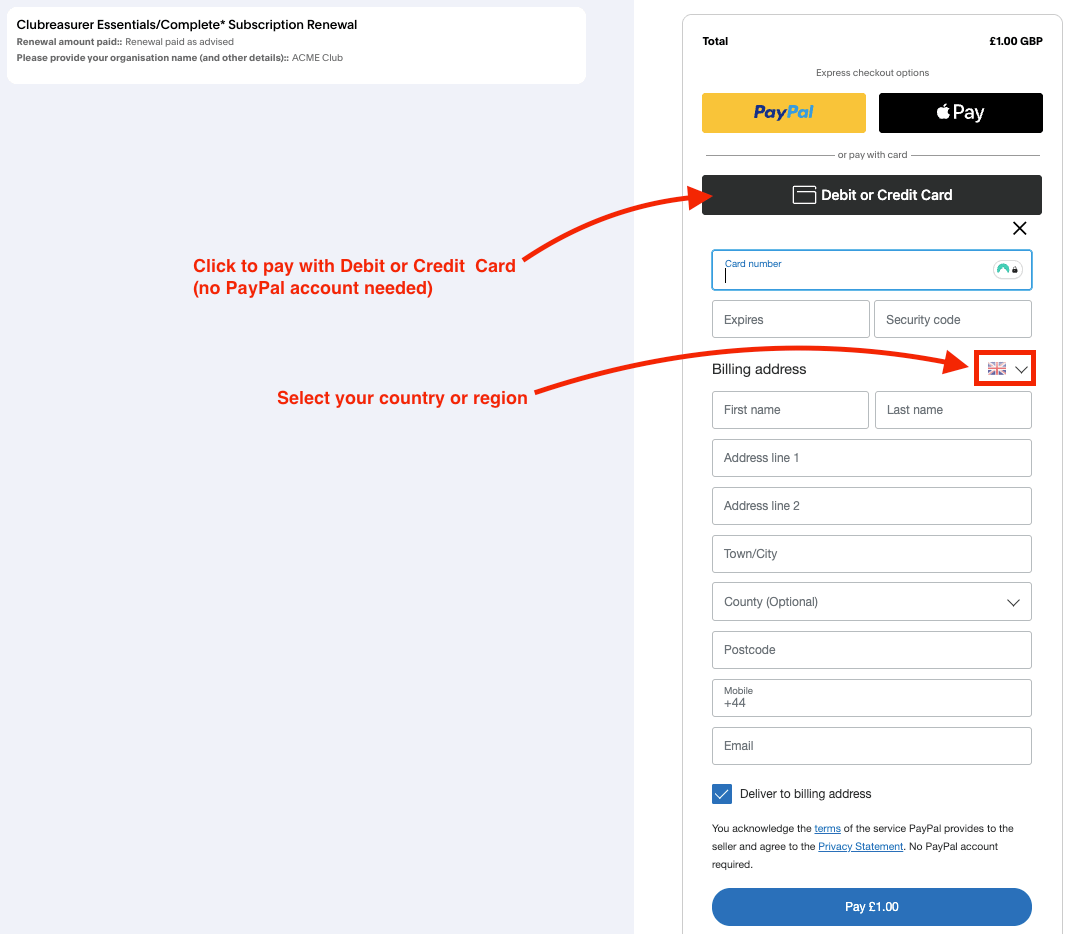
👉 In the Subscription and Orders page, select the Check Out button to make a payment without a PayPal account.
💡Tip: You can also use the PayPal button if you have an account.
Enter Debit / Credit Card Details
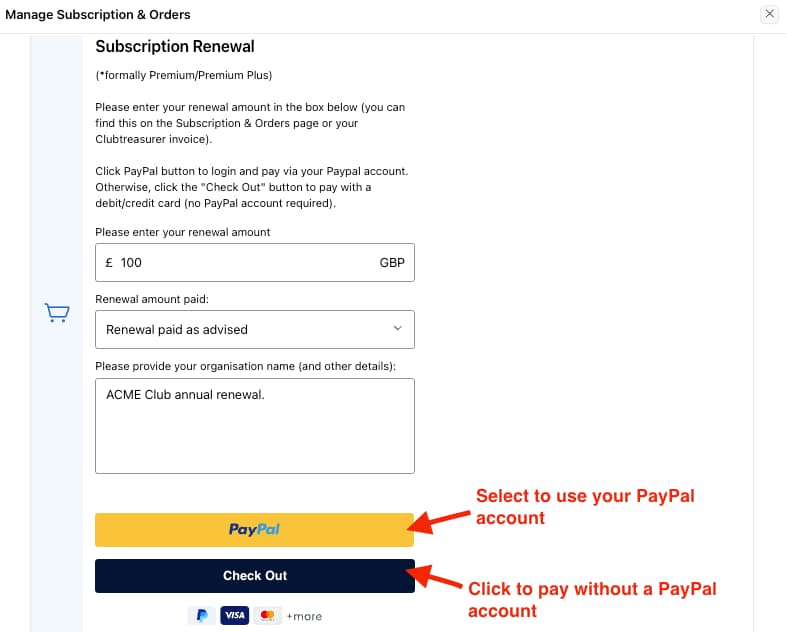
Select the Debit or Credit Card option which lets you enter your debit/credit card details.
👉 This step will redirect you to PayPal to securely manage the payment (if you look at the URL you will see it now says " https://www.paypal.com/ncp/payment.... ")
💡Tip: You can also make your payment via your PayPal account or Apple Pay by using the Express checkout options.
Not in the UK?
If you are not based in the UK, PayPal lets you select your country/region and will change the Billing address form appropriately.
👉 Select your country/region using the flag icon as shown.
💡Tip: All payments are made in £GBP Sterling (PayPal will manage the currency conversion for you).